Several streamers at once
Up to 10 streamers, 10 categories and 10 clip authors in one search.
nightowlpixelkatJust Chatting
Enter a streamer, choose a period and find the moment you need. Watch the clip and download it in 1080p. The ClipSearch app does everything else.
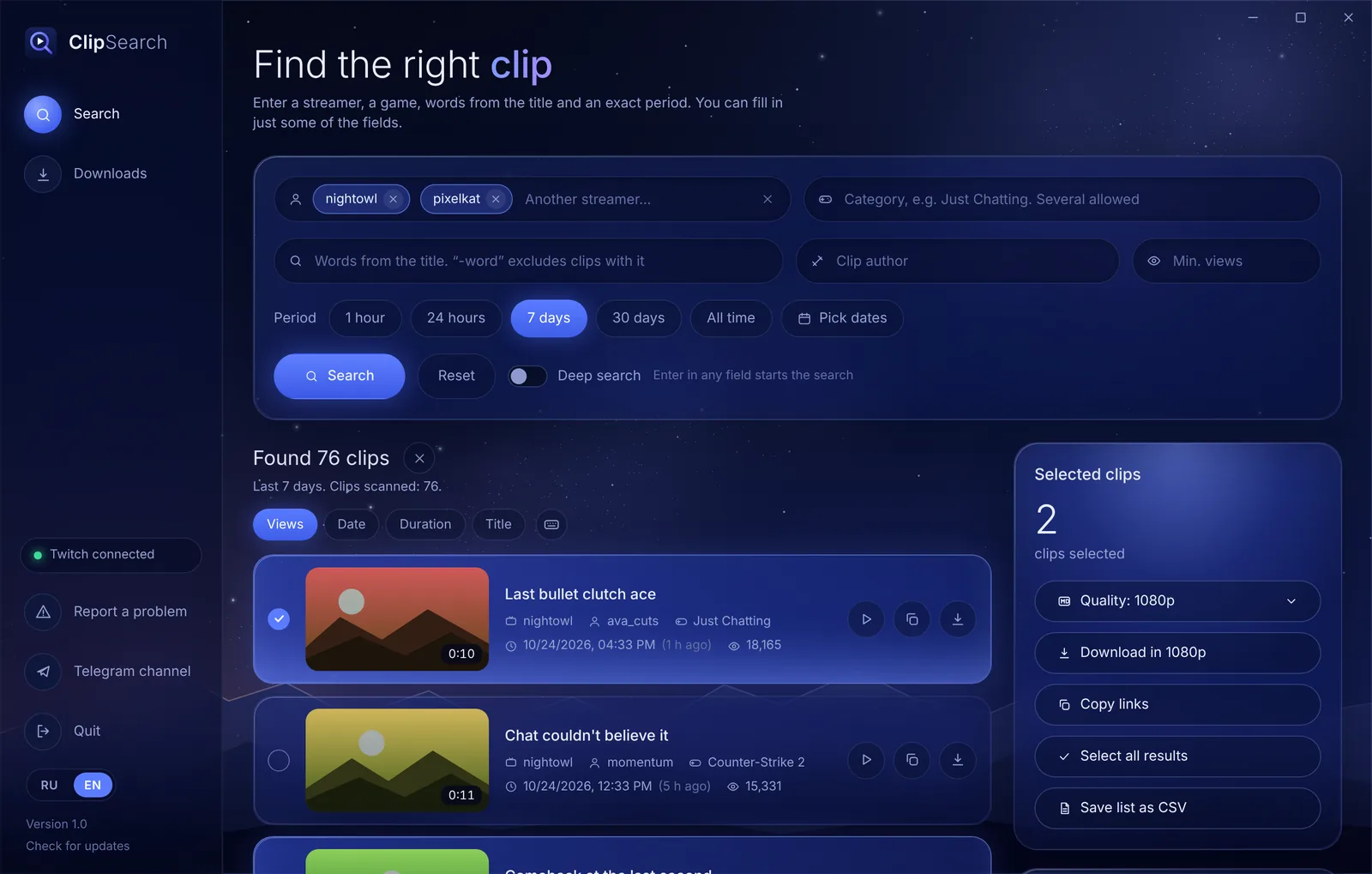
Enter a streamer and press “Search”. For example, for the last 7 days.
Several streamers, categories and authors in one search, deep search across years, bulk download to your own folder, clip trimming and a timeline chart. No site limits.
No Twitch keys or sign-in needed. Open source on GitHub.
Searching by one streamer, words, author and views works right on this site. Everything marked with a lock is in the app.
Up to 10 streamers, 10 categories and 10 clip authors in one search.
From the last hour to all time, or custom dates such as 01.02.2024 to 03.02.2026. Deep search goes through years in chunks.
Search by title words, and -word removes what you don’t need. You can set minimum views.
See at a glance which hours and days of a stream had the most highlights.
Hover a card and the clip comes alive. In the built-in player you can mark a part and download only that.
1080p, 720p or 480p. Cancel or retry downloads, open finished files or show them in the folder.
Right-click menu and keys in the list. Press ? to open the cheat sheet, Esc clears the selection.
Copy links to selected clips or save the whole list as a CSV table.
The app tells you about a new version, shows what changed and updates in one click.
The file ClipSearchSetup.exe is under a megabyte: it downloads the rest by itself. Don’t want to install? Take the ZIP archive and unpack it anywhere.
The installer asks for a folder and creates shortcuts. No administrator rights needed; WebView2 already comes with Windows 10 and 11.
If a blue “Windows protected your PC” window appears, click More info, then Run anyway. That’s how Windows treats apps without a paid digital signature.
Enter a streamer, choose a period and press “Search”. “Twitch connected” in the bottom left means everything works.
Yes. No subscriptions, no ads.
No. You don’t need to sign in to Twitch or enter keys: the app searches public clips.
To the folder you choose in “Downloads”. You can open or change it right from the app.
The app is for Windows 10 and 11 (64-bit) only. But you can search, watch and download clips one by one right on this site from any device.
No need to download anything again: when a new version comes out, the app offers to update. You can check manually with “Check for updates” in the bottom left.
The source code is open on GitHub, and the installer and archive are built there automatically. The app never asks for passwords and doesn’t touch your Twitch account.